[RTL8722CSM] [RTL8722DM] SPI - Slave Receive
Materials
Ameba x 1, Arduino UNO x 1
Steps
SPI is a fast and robust communication protocol that are commonly found on many microcontrollers and is often used to retrieve sensor data or output image signal to a display. Ameba support SPI in both master and slave mode. Here we are going to see an example demonstrating how ameba receive data in slave mode on MicroPython.
Before connection, make sure to upload the following code to your Arduino UNO.
 1rtc = RTC()
 2///////////////////////
 3// SPI Master Write //
 4///////////////////////
 5#include
 6void setup (void) {
 7             Serial.begin(115200); //set baud rate to 115200 for usart
 8             digitalWrite(SS, HIGH); // disable Slave Select
 9             SPI.begin ();
10}
11void loop (void) {
12             char c;
13             digitalWrite(SS, LOW); // enable Slave Select
14             // send test string
15             for (const char * p = "Hello, world!\r" ; c = *p; p++) {
16             SPI.transfer(c);
17             Serial.print(c);
18                     }
19             Serial.println();
20             digitalWrite(SS, HIGH); // disable Slave Select
21             delay(2000);
22}
Connection is shown as follows, here we are using unit 0 as SPI slave, and Arduino UNO as SPI master,
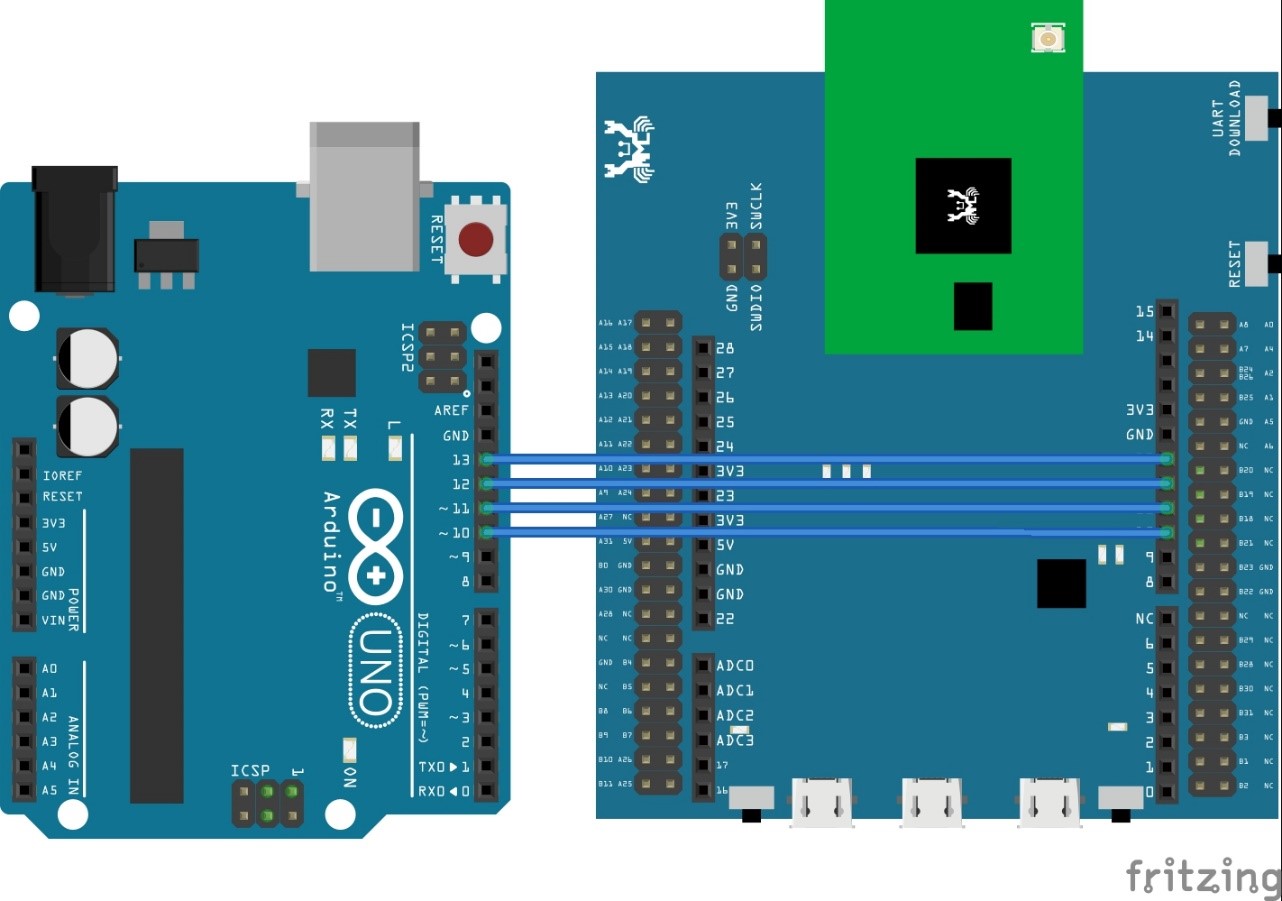
Then copy and paste the following code into REPL under paste mode to see their effects.
1from machine import SPI
2s1= SPI(0 , mode = SPI.SLAVE)
3for i in range(14):
4chr(s1.read())